Organizations might disable the logins for some of the employees due to any reasons. But at any point in time if the admin wants to check the employees whose login has been disabled, it is very difficult to check by searching each and every employee names manually. Keka provides you the filter by which all the employees whose login has been disabled will reflect at one place.
Follow the below path to check the same -
Go to the Org (1) section of the Keka Portal and click on Employees (2). Then go to the Logins (3) tab. 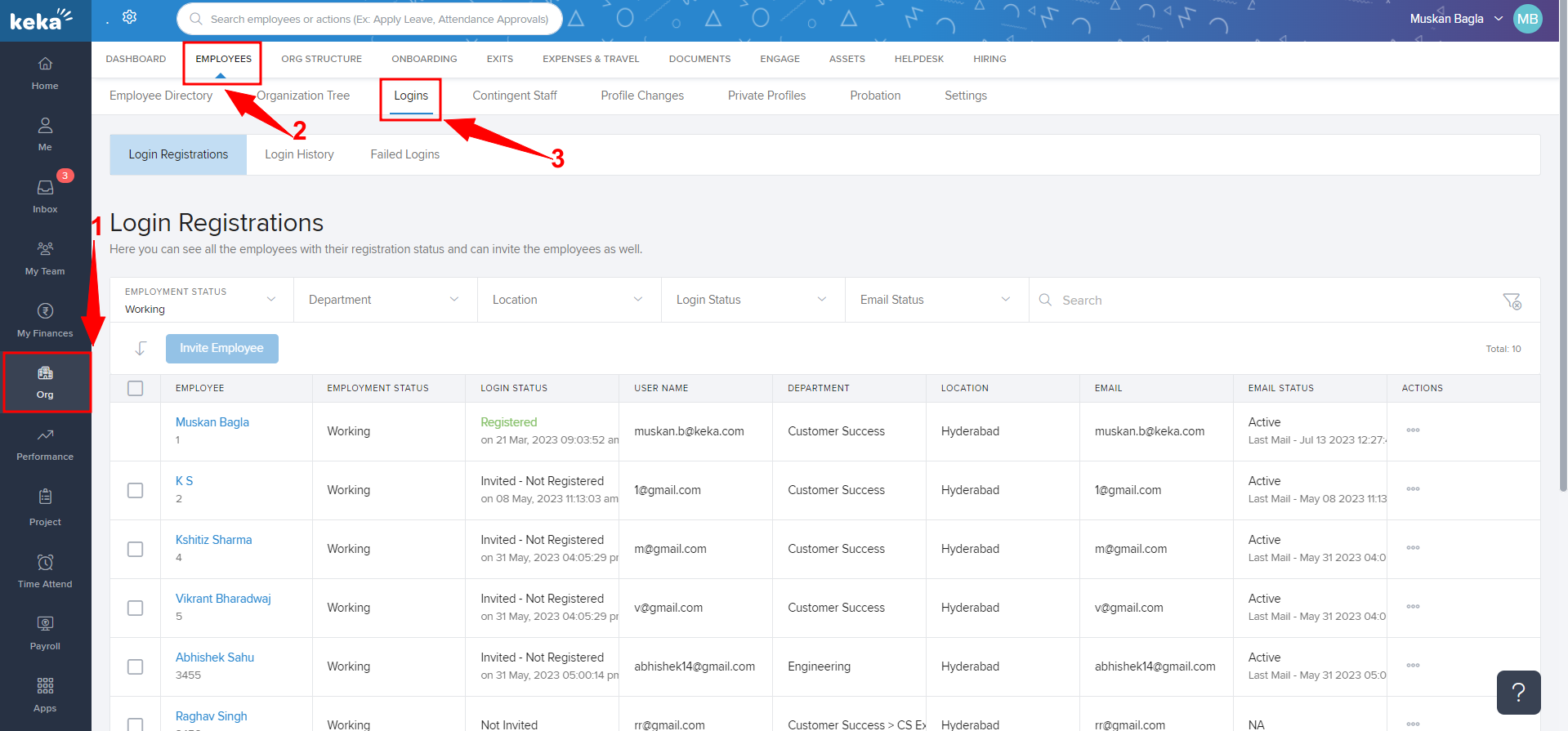
You'll be taken to the Login Registrations (1). Now click on Login Status (2) and select Login Disabled (3).
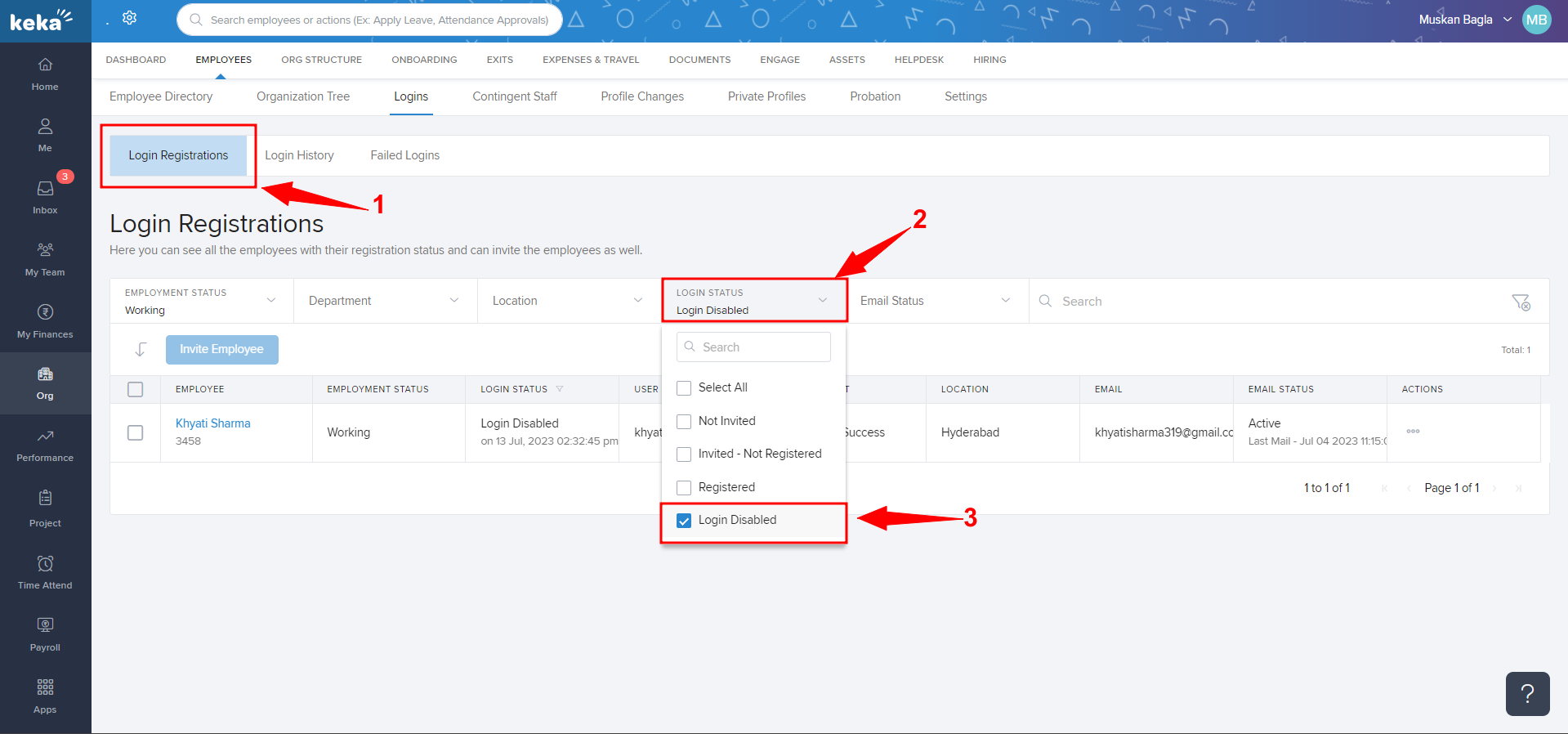
Once you click on Login Disabled, all the employees whose login is disabled will reflect.
Was this article helpful?
That’s Great!
Thank you for your feedback
Sorry! We couldn't be helpful
Thank you for your feedback
Feedback sent
We appreciate your effort and will try to fix the article